Generate your own product videos

One product photo. unlimited cinematic videos.

The photos you already have of your product become scroll-stopping video — no production days, no models, no studio rental. The Photo to Video System is a step-by-step digital guide that shows you how to make every video yourself.

Works with almost any product type No studio No models
Your photo
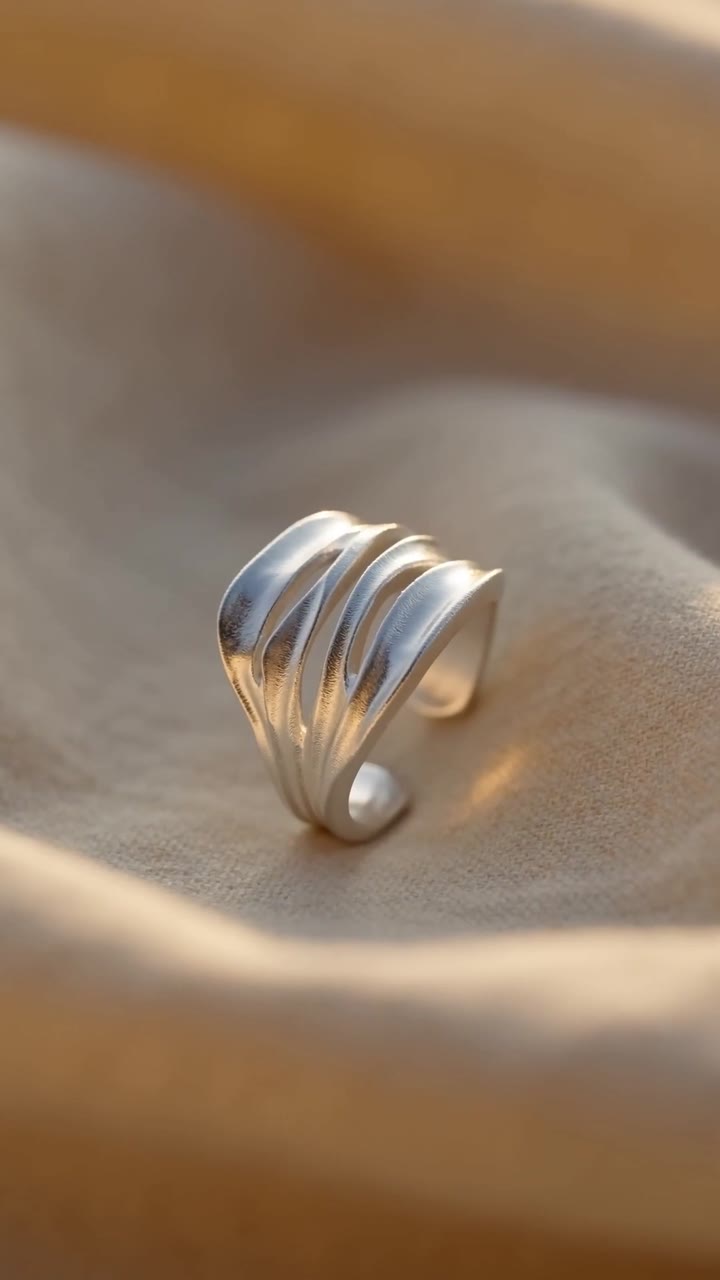
Product photo of a silver ring on linen
The video
Made with the system — all from photos Swipe →
Layered chains
Necklace — golden hour
Product spotlight
Talking style
Campaign cut
No production days Your existing photos are the shoot. Photos from your phone work.
No models, no studio Cinematic motion, light and texture.
You own every video Made by you, on your accounts — run them as ads, no license, no fees.
No experience needed Go from no AI experience to making your own videos.
The system

Every video, made by you.

The Photo to Video System is a complete digital guide that will teach you to turn the photos of your product into cinematic videos, as many as you want, whenever you want. The photos you use can even be taken with your phone.

Digital product
Step-by-step digital guide
Photo to Video System Turn product photos into cinematic videos AmandaLK
Digital PDF + video walkthroughs
  • The full method — photo in, cinematic video out
  • The AI tool, prompts and settings for motion, light and texture
  • Exact prompts and the videos they generated
  • Fine-tuning realism, and mistakes to avoid that save time and credits
  • Works for jewelry, clothing, beauty and most physical products
Get the system — $297 → One-time payment — yours forever. The AI video tools the system uses charge their own generation fees — not included
Also inside

Four video recipes.

01 Spotlight One product, lit like a film
02 Golden hour Warm light, slow motion
03 Talking style A face that sells it
04 Campaign cut Fast cuts, launch energy

Every recipe comes with prompts, settings and an edit walkthrough


Questions

FAQ

What do I need to start?
Product photos — the ones on your website or in your phone are usually enough. The system shows you which photos hold up in motion and which to skip, so you don't waste time on frames that won't work. One thing to budget for: the AI video-generation tools the system uses are paid subscriptions, billed by those services — that part isn't free and isn't included in the guide.
How long does one video take?
Your first video takes an afternoon while you learn the workflow. After that, most videos take 15–30 minutes — and the batch workflow shows you how to make a week of content in one sitting.
Can I run these as paid ads?
Yes. You make the videos, so you own them outright — no license, no usage rights, no per-placement fees. The system covers sizing and formats for ad placements too.
What if my brand isn't jewelry or clothing?
The method works for most physical products — beauty, accessories, home goods, food, anything that photographs well. If your product looks good in a photo, it will move well in a video.
Is this a subscription?
No. $297 once, yours forever — including every update to the recipes as the AI tools evolve. The only recurring cost is the AI video-generation tools themselves, billed by those services.
The bundle better together.

Photo to Video System

Your product photos, into cinematic videos

UGC Character System

A custom character who sells it on camera

Cinematic videos show the product. The character sells it to camera. Get both systems together and make every post your brand needs yourself — $647 for both, $147 less than buying them separately.