Learn AI video& make every video your product needs.
All you need are photos of your products. The Photo to Video + UGC System is one step-by-step digital guide that shows you how to use AI to make every video yourself — no set to purchase, no models to schedule, no creators to hire. AI turns your product photos into cinematic videos or creates a custom character that sells your products on camera.
No creators to hireYou own the characterYou write the script
ApprovedThe original photo
UGC video
Create cinematic product videos
Turn one product photointo a cinematic video.
A photo from your phone goes in — motion, light and texture come out. That means a real video for every listing in your shop instead of a single flat image, and a steady supply of product content for your social accounts. No set, no shoot day, no waiting on a studio.
A video for every listingPhone photos workYou own every video
One photo
The original photoCinematic video
Why buy the guide
You don't want to become an
AI video creator.
You want the videos.
I've generated thousands of AI videos for brands and for fun to learn the technology inside and out. That meant a lot of tool testing, a lot of videos that didn't work, and a lot of generation credits wasted.
With this guide, you get everything I've learned and you skip the months of testing and the wasted credits and go straight to videos you can put on a listing or post today.
You don't need to learn AI video as a craft. You need good videos for your business, made quickly, by you.
A shortcut to expert AI video
After 15 minutes you will have made your first video.
You don't have to study first to get started. The first lesson is a quick start and you create your first video within 15 minutes. Then continue and use the full method whenever you want more control.
Inside the guide
What you'll learn.
The guide teaches the craft behind the videos — how real product footage is shot, and how to get AI to do the same thing on command. No film background needed.
01
The camera
I show you visually how to get the look you want.
Control the camera view, lighting, and atmosphere — so you get the exact look you want without the guesswork.
Camera movement
Lighting
Lenses
02
Talking to the AI
Stop guessing. Start directing.
How to ask AI tools for exactly what you need. Included are fill-in prompts and examples for product and talking videos, and you'll learn what to change when the output isn't what you asked for.
Controlling the AI
Writing prompts
Generating images
03
Making it believable
Nobody can tell it's AI.
The details that give AI away — hands, faces, product shape, motion — which tool to use for which job, and how to bring the same face and voice back in every video.
The video tools
Making it look real
Character consistency
04
Copy what works
A full reference library.
An example video for the most popular camera movements, lighting setups, and atmospheres — each with the exact prompt that made it, so you can copy the look instead of describing it from scratch.
Camera movements
Lighting & atmosphere
Copy-paste prompts
Start with what you have
No photo shoot required.
You don't need a studio, a lightbox, or a photographer before you can start. A photo taken on your phone next to a window works — on your kitchen table, on a countertop, on a plain sheet of paper. The photo below was taken on an iPhone at home, and the video beside it was made from that exact photo.
Turn your Product photo
into a Professional video
The system
Every video, made by you.
The Photo to Video + UGC System is one complete digital guide: turn the photos of your product into cinematic videos, then cast a character who sells them to camera — as many videos as you want, whenever you want.
Most AI video tools charge their own generation fees — not included
Also inside
A full reference library.
An entire reference library to show you visually exactly how to control your videos with prompts and the videos they generate.
Included at no extra cost
The bonus lesson.
Generated from that photo
Bonus lesson
You as an AI character
Rather be the face of your brand? This lesson walks you through building an AI version of you from your own photos, so you become your own UGC creator — same consistency method, same scripts, same batch workflow, but the person in every video is you.
It was built first for anyone selling something physical — an online shop, a listing, a storefront, a market stall. It works just as well if what you need is a steady supply of product video for your social accounts.
Online shops
Shopify, Etsy, Amazon or your own site — a real video on every listing instead of one flat photo.
Makers and small brands
Jewelry, candles, ceramics, skincare, apparel. Products that photograph fine but have never had video, because video meant hiring someone.
Social accounts
Reels, TikTok, Pinterest, Stories. Product content on a schedule without filming anything, even on the weeks you have nothing new to launch.
Anyone running ads
Product cuts and UGC-style ads you own outright — no creator fees, no licensing windows, no reshoots to test a new angle.
If you have photos of a product, you have everything you need to start
Questions
FAQ
What do I need to start?
Product photos — the ones on your website or in your phone are usually enough — and a rough picture of who buys from you. The system covers the rest: which AI tools to use, how to set them up, which photos hold up in motion, and the templates to drop your product into. One thing to budget for: the AI video-generation tools the system uses are paid subscriptions, billed by those services — that part isn't included in the guide.
What exactly is the character?
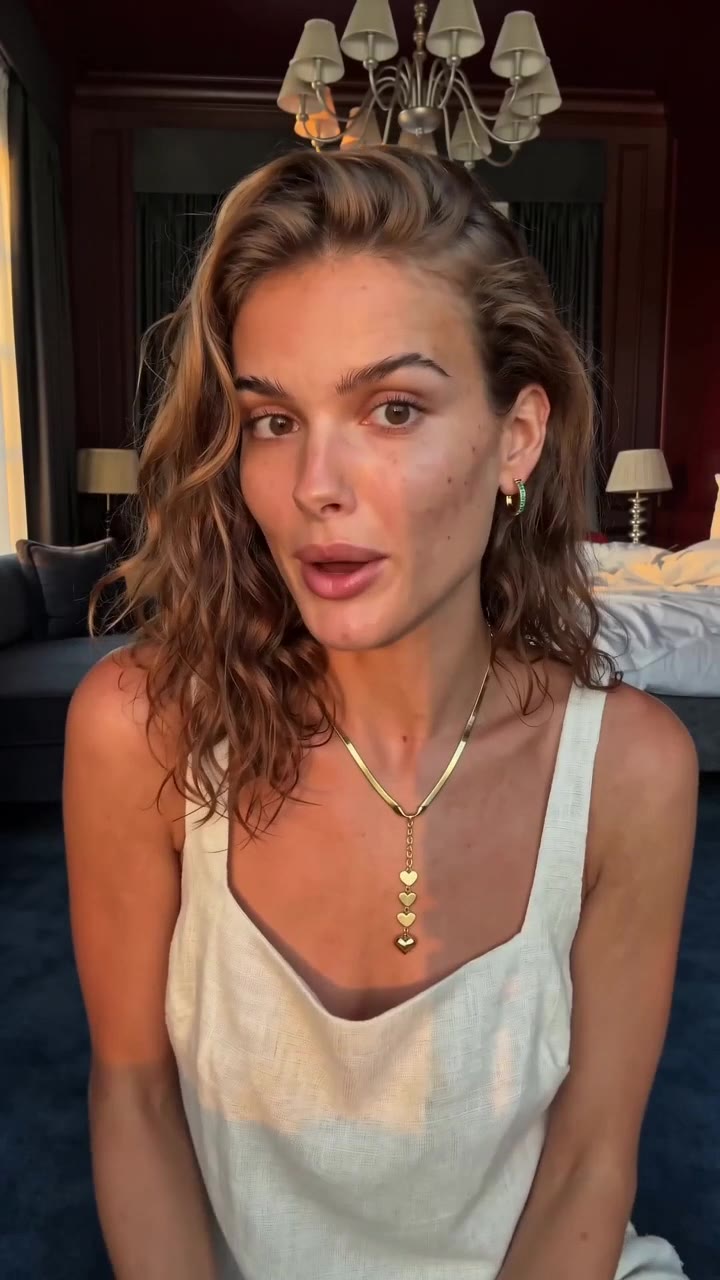
A photoreal person, generated and directed by you — the same face, voice and style in every video. The system shows you how to design the character. And if you'd rather the character be you, a bonus lesson shows you how to build an AI version of yourself from your own photos.
How long does one video take?
The quick start guide lets you create your first video in 15 minutes. After you learn more skills and have your prompts written, one video can take just a few minutes to generate.
Do I need to be technical?
No. The system is written for business owners, not video people. Every step includes the exact prompts, tools and settings — you follow along. You do not need to know how to code, everything is as simple as running a Google search.
Can I run these as paid ads?
Yes. You make the videos and you own the character — no license, no usage rights, no per-placement fees. The system covers sizing and formats for ad placements too.
Is this a subscription?
No. $297 once, yours forever — both methods, the scripts, the batch workflow, and every update as the AI tools evolve. The only recurring cost is the AI video-generation tools themselves, billed by those services.